
How to Find Your Zund Machine Details
Before you fill in our enquiry form, here's how to find the key details we'll need to make you an offer. It takes two minutes.
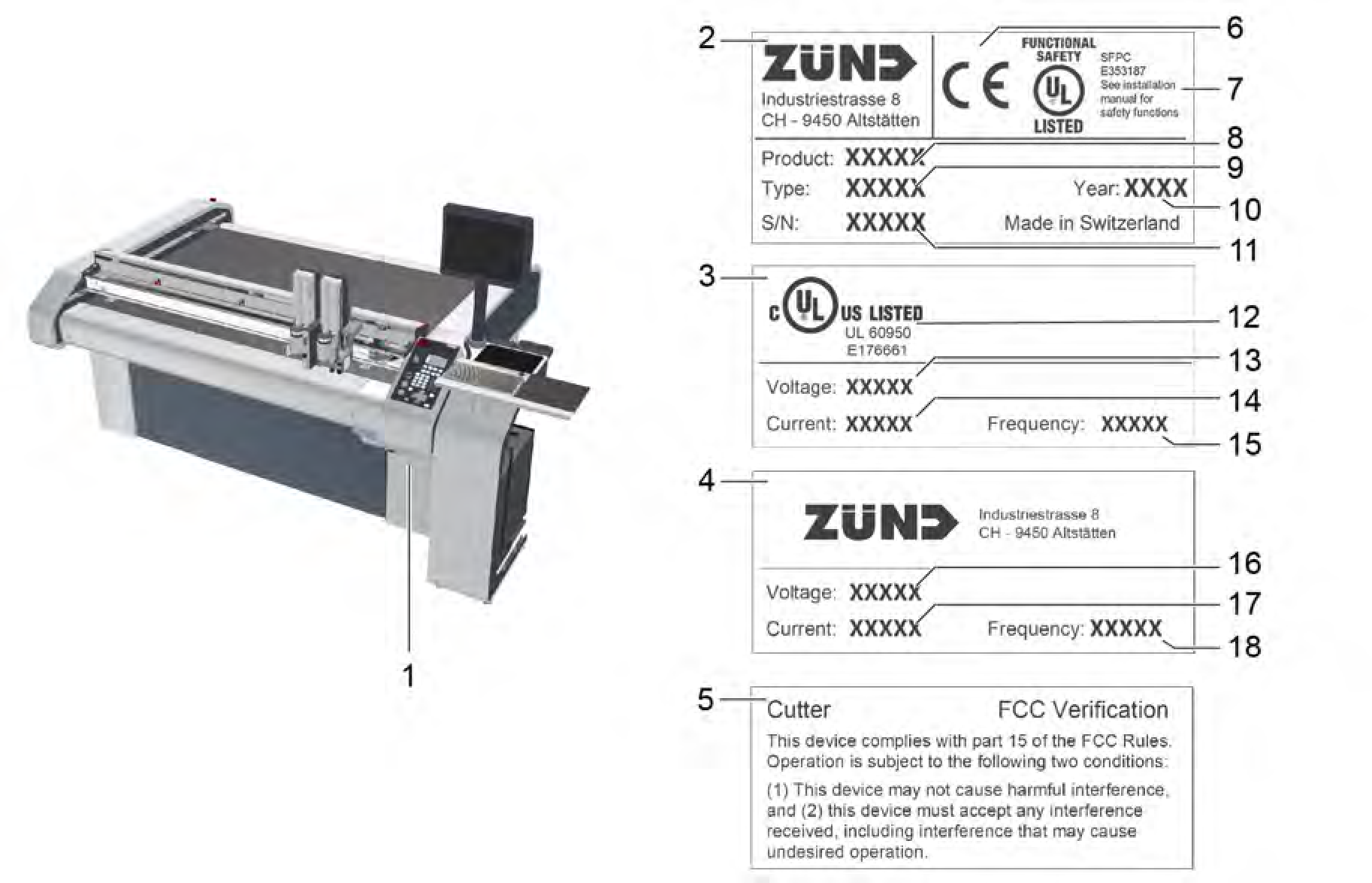
To make you a direct offer we need a few basic details about your machine. The most important are the model, type, serial number, and year of manufacture. Here's exactly where to find them.
-
The easiest way to find your machine details is the rating plate – a metal or durable sticker fixed to the machine frame.
Where to find it:
On most Zund cutters the rating plate is located on the frame at the end of the machine, typically on the side panel near the operating panel or electronics cabinet. It is usually at or just below waist height.
What it contains:
Product type (e.g. Cutter G3)
Machine type/model (e.g. L2500)
Serial number
Year of manufacture
CE marking and manufacturer details
What the serial number looks like:
Zund serial numbers follow a structured format based on the machine specification. For example:
> G300L.250003
This breaks down as:
G3 – machine generation (G3 in this case)
00L – beam/format size (L = large)
250 – table length
0003 – consecutive device number
Don't worry if yours looks slightly different – serial number formats vary slightly between generations. Just note down what's on the plate and include it in your enquiry.
-
If the rating plate is damaged, obscured, or difficult to access, you can find the same information through the Zund Cut Center (ZCC) software on the machine's control PC.
How to find it:
Open the Zund Cut Center (ZCC) application on the control PC
Go to Help or System Information in the menu
The serial number, firmware version, and cutter model will be listed there
-
When you fill in the form, the more detail you can give us the better. Here's what's most useful:
Essential:
Machine model (e.g. G3, S3, G2)
Machine type (e.g. L2500, 3XL-3200)
Serial number
Year of manufacture
Working hours
-
What modules and tools are included (e.g. UCM, DRT, routing module)
General condition of the machine
Whether the machine is currently in working order
Your location
Photos:
A photo of the rating plate and a couple of general shots of the machine are helpful — but don't let that hold you up. You can send photos later once we're in touch.
-
If you're unsure whether you have a G3, S3, D3, L3 or older machine, our Zund Cutting Table Models Explained page has a straightforward guide to identifying each generation.
Ready to Get an Offer?
We respond to most enquiries within 24 hours. No obligation.